
Love Invoicing
For owners and authorised admins
Manage customers, quotes, jobs, workers, invoices and payments. Organise who is doing the work and review what has been completed.
Keep your team organised, from job assignment to completed work.
Manage your business in Love Invoicing and give field workers a focused app for their assigned jobs. Organise the work, follow progress and review job evidence while keeping business finances under your control.
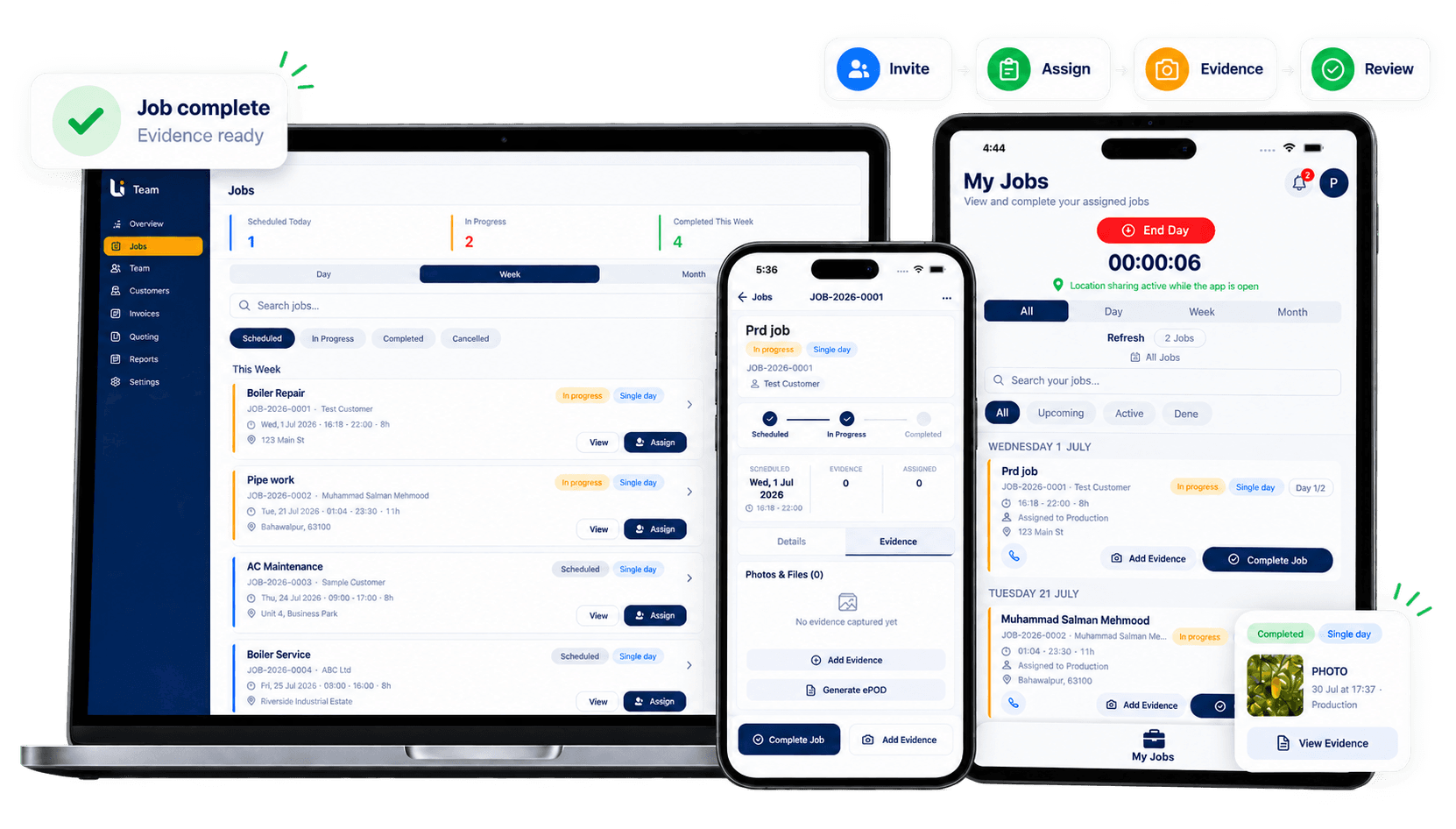
Give each person the workspace that matches their role, while keeping jobs connected from assignment through to invoicing.
For owners and authorised admins
Manage customers, quotes, jobs, workers, invoices and payments. Organise who is doing the work and review what has been completed.

For field workers and other role-based team access
The standard Field Worker role focuses on assigned jobs and the information needed to complete them. Other Team app roles, such as Driver and Inventory, have different role-specific access.
Workers use their own account rather than sharing the owner’s login. The invitation opens the account setup flow in Love Invoicing Team.
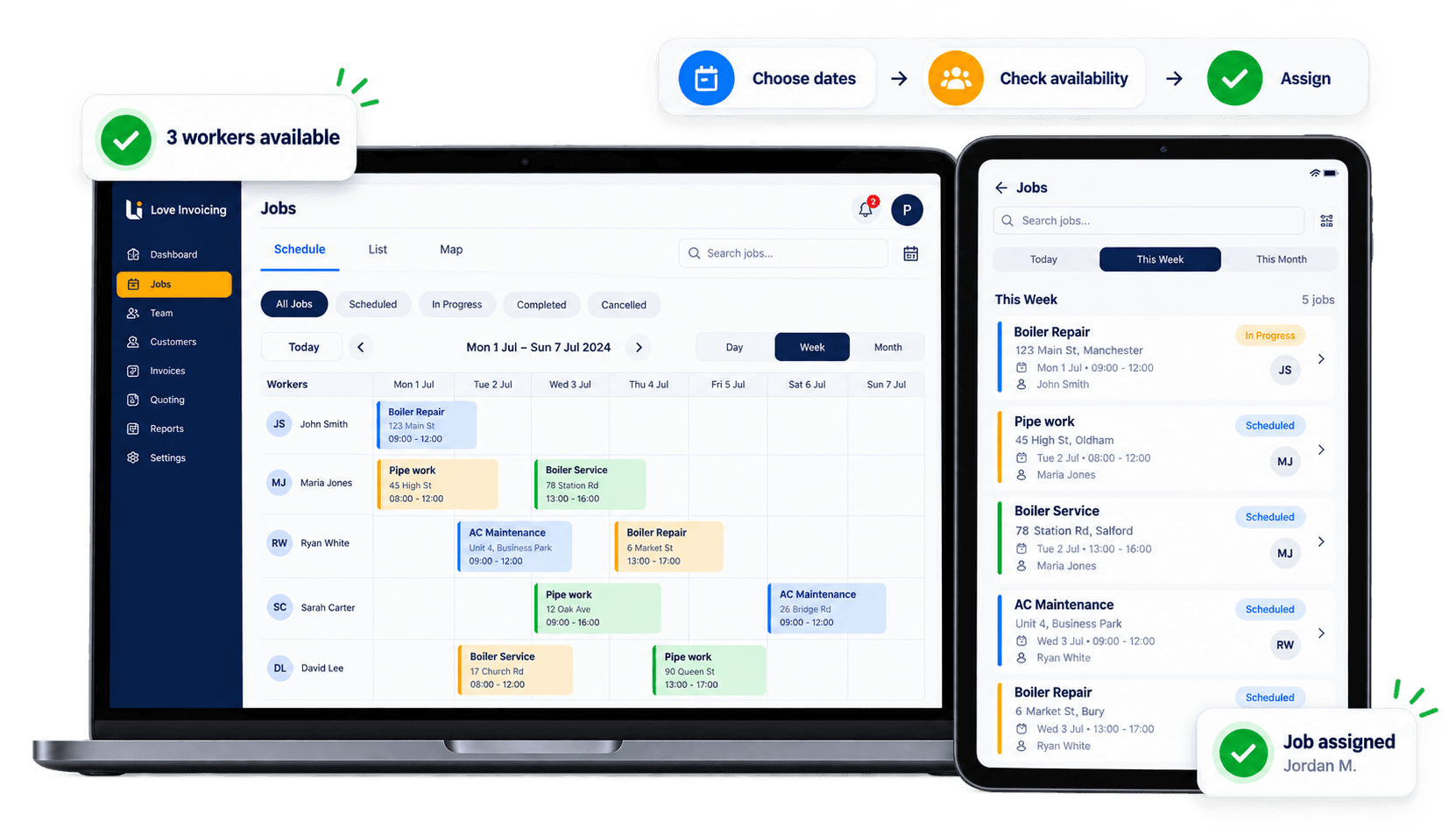
Plan single-day, multi-day and repeat jobs. Check team availability when choosing who to assign, then give workers the relevant job information.
Keep single-day, multi-day and repeat work on the same job schedule.
Review availability before selecting the people doing the work.
Connect the job, schedule and assigned workers in one workflow.
The standard Field Worker role opens assigned jobs in My Jobs and moves the work forward using the Team app’s job actions.
My Jobs
Navigate
Start Job
Add Evidence
Complete Job
Follow job status and, when a worker is on duty and has allowed location access, use available GPS updates to coordinate work across different locations.
Location depends on device permissions, settings, connectivity and platform behaviour. On iPhone, Team app location sharing runs while the working day is active and the app is open; Android may continue in the background when the worker grants the required permission. It is not payroll or a guaranteed record of every movement.
Field workers can add photographs and notes. Evidence records can show the contributor, capture time and available location information. If location is unavailable, the evidence remains usable without it.
The owner can review the evidence, and a Job Report PDF can provide a structured record once the job is complete and evidence is available.
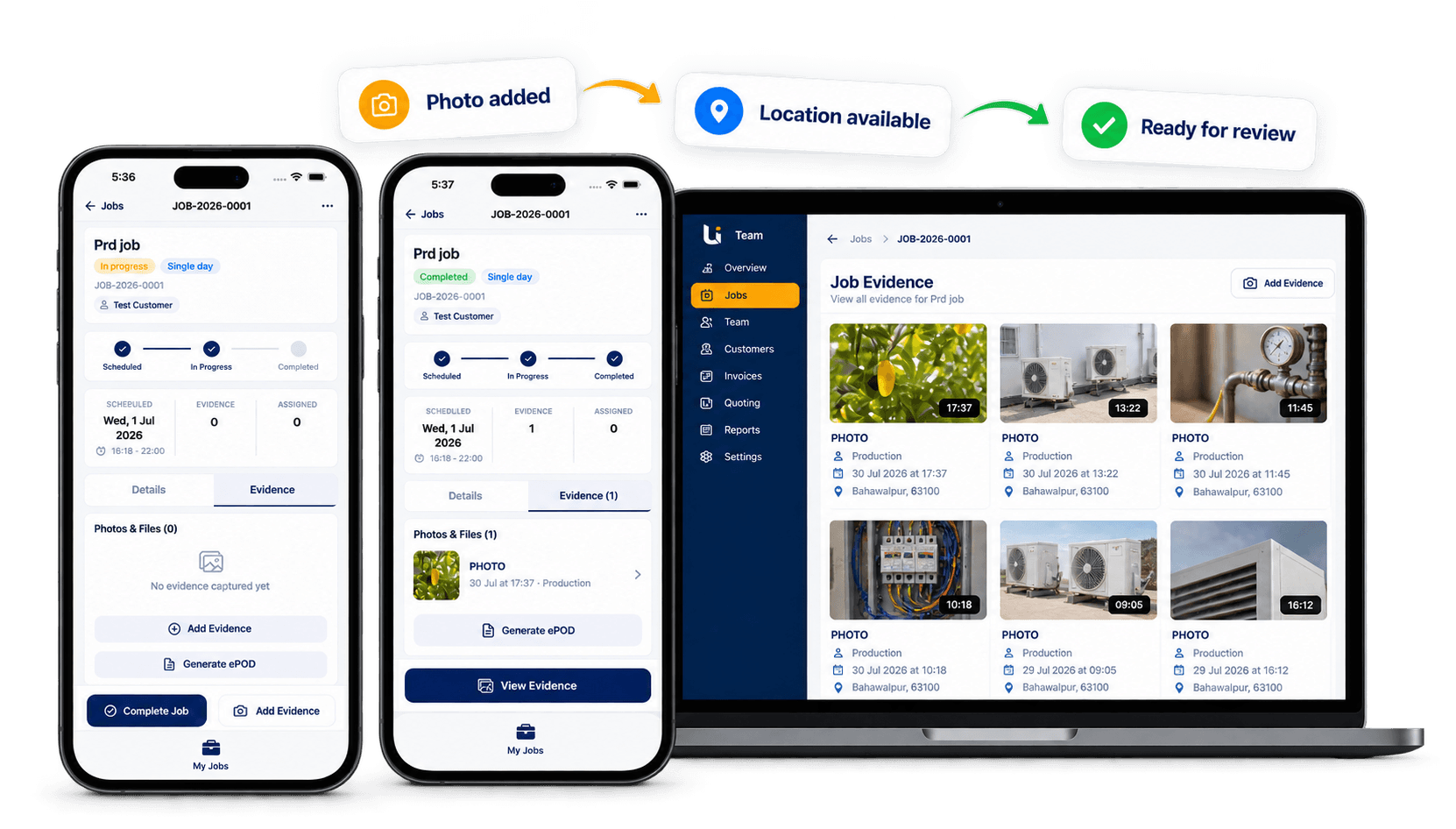
The standard Field Worker experience focuses on assigned work. Wider business and financial access stays with the owner and authorised users.
| Activity | Owner / authorised admin | Standard field worker |
|---|---|---|
| Manage and assign jobs | Yes, subject to permissions | Works on assigned jobs |
| View relevant job information | Yes | Assigned work |
| Navigate, update jobs and add evidence | Supported operational workflow | Yes |
| Manage the team | Yes, subject to permissions | No |
| Access invoices and payments | Yes, subject to permissions | No |
| Access financial insights and overall customer balances | Yes, subject to permissions | No |
| Access the business Price List | Yes, subject to permissions | No |
Assigned-job details can include the customer information needed for that work. This is not unrestricted access to the full customer database. Other Team app roles have different role-specific access.
Jobs can start from an accepted quote or be created directly. Completion and invoicing remain separate steps.
Choose the team setup that fits your business and see the current subscription options. Love Invoicing Team is available for iPhone and Android.


The practical questions owners and field workers ask before getting started.
Job Management
Plan, assign and follow jobs from one connected workflow.
Field Service
Coordinate work happening away from the office.
Pricing
Choose the team size and subscription that suits your business.
Help
Find support and contact the Love Invoicing team.
All Features
Explore the full Love Invoicing feature set.
Start with Love Invoicing, invite your team and keep every job connected through to owner review and invoicing.
Start free trial